
No products in the cart.



Windows Server RDS CALs Explained: User vs Device Licensing, and Where to Buy
-
September 19, 2026
-
3
If your business uses Remote Desktop Services (RDS) to let employees connect to Windows Server remotely, you need RDS Client Access Licenses (CALs) on top of your Windows Server license itself. This guide explains what RDS CALs are, the difference between User and Device CALs, and where to buy genuine 50-packs for your server version.
### What Are RDS CALs?
An RDS CAL grants the legal right for a user or a device to connect to a Windows Server machine running Remote Desktop Services. Windows Server itself doesn’t include these rights automatically — RDS CALs are a separate, required license layered on top for any RDS deployment beyond basic remote administration.
### User CALs vs Device CALs: Which Do You Need?
#### RDS User CAL
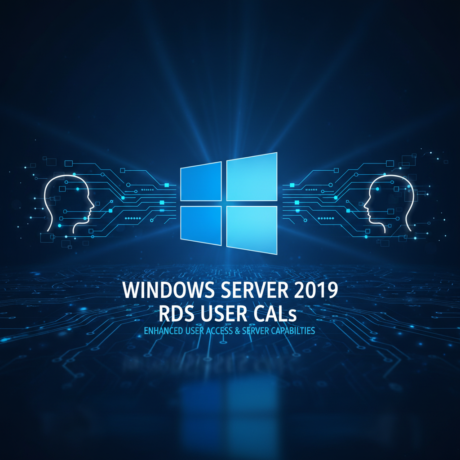
Licenses a specific **user account**, regardless of which device they connect from. This is the better fit when employees use multiple devices (laptop, desktop, tablet) to connect to the same server.
#### RDS Device CAL
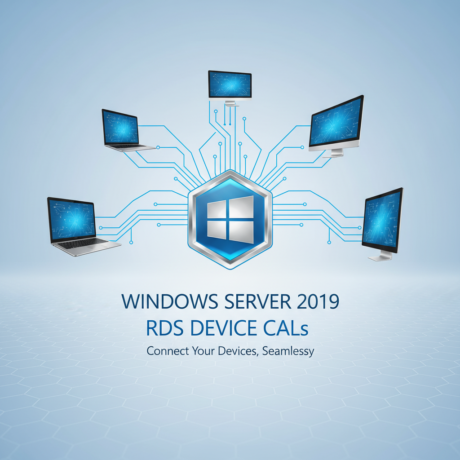
Licenses a specific **device**, regardless of which user is logging in from it. This is the better fit for shared-device environments — like shift workers using the same workstation, or kiosk-style setups.
There’s no universally “better” option — it comes down to whether you have more users or more devices in your deployment, and licensing whichever count is smaller is usually more cost-effective.
### Matching Your RDS CALs to Your Windows Server Version
RDS CALs are version-specific and should match the Windows Server version you’re running:
– **Windows Server 2016** — [Device CALs](https://keysheaven.com/product/windows-server2016-rds-device-connections-50-cal/) / [User CALs](https://keysheaven.com/product/windows-server2016-rds-user-connections-50-cal/)
– **Windows Server 2019** — [Device CALs](https://keysheaven.com/product/windows-server-2019-rds-device-connections-50-cal/) / [User CALs](https://keysheaven.com/product/windows-server-2019-rds-user-connections-50-cal/)
– **Windows Server 2022** — [Device CALs](https://keysheaven.com/product/wind-server-2022-rds-device-connections-50-cal/) / [User CALs](https://keysheaven.com/product/windows-server-2022-rds-user-connections-50-cal/)
– **Windows Server 2025** — [Device CALs](https://keysheaven.com/product/windows-server2025-rds-device-connections-50-cal/) / [User CALs](https://keysheaven.com/product/windows-server2025-rds-user-connections-50-cal/)
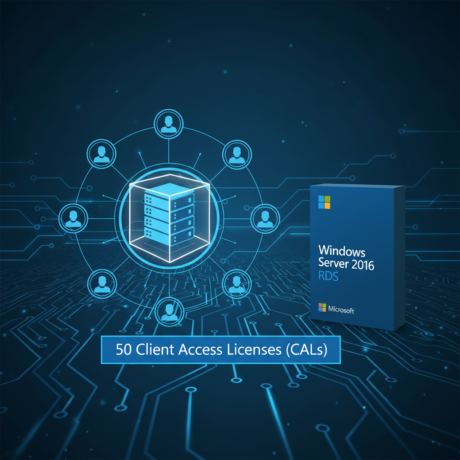
Each of our RDS CAL packs covers **50 connections**, making it straightforward to license a mid-sized team or device fleet in one purchase.
### What to Check Before Buying RDS CALs
#### 1. Confirm Your Server Version
RDS CALs need to match your Windows Server version — a mismatch can cause licensing and activation issues.
#### 2. Decide User vs Device
Count your users and your devices, and license whichever number is lower for the better value.
#### 3. Buy From a Trusted Seller
Look for genuine licenses with instant delivery and support if you run into licensing questions.
### Why Buy Your RDS CALs from KeysHeaven
– **Authenticity Guaranteed**: 100% genuine licenses for peace of mind.
– **Convenient Delivery**: Instantly access your purchased product through our web store dashboard, with order notifications sent to your email.
– **Warranty**: 7-day one-to-one replacement for defective keys.
– **Professional Support**: Our team is here to help confirm which CAL type and server version fits your deployment.
### Step-by-Step: Licensing Your RDS Deployment
1. **Identify Your Server Version:** Confirm whether you’re running Windows Server 2016, 2019, 2022, or 2025.
2. **Choose User or Device CALs:** Pick based on whichever count — users or devices — is smaller in your environment.
3. **Complete Checkout:** Your CAL license is delivered instantly through your account dashboard and email.
4. **Apply the CALs:** Add the license to your RDS licensing server through Server Manager, following Microsoft’s standard RDS licensing activation process.
### Final Thoughts
Getting your RDS licensing right — the correct CAL type, matched to the correct server version — keeps your Remote Desktop Services deployment compliant and running smoothly. KeysHeaven carries genuine 50-packs across every supported Windows Server version, delivered instantly.
License your Remote Desktop Services deployment correctly, with genuine CALs and support when you need it.
### Related Guides
– [VMware vSphere 8 License Key: Where to Buy Genuine Enterprise Virtualization Licenses](https://keysheaven.com/vmware-vsphere-8-license-key-where-to-buy-genuine-enterprise-virtualization-licenses/)
– [Where to Buy Genuine SQL Server License Keys — Standard vs Enterprise Explained](https://keysheaven.com/where-to-buy-genuine-sql-server-license-keys-standard-vs-enterprise-explained/)
– [How to Find a Legitimate Windows Server 2019 License Key from Keysheaven](https://keysheaven.com/how-to-find-a-legitimate-windows-server-2019-license-key-from-keysheaven/)
Categories
Tags
Activation Guide
Adobe Acrobat
Adobe Creative Cloud
AI Tools
Autodesk
Avast
Buying Guide
Comparison
Deals & Discounts
ESET
Kaspersky
License Transfer
Malwarebytes
McAfee
Microsoft Office
Netflix
Office 2019
Office 2021
Office 2024
QuickBooks
Renewal Guide
SQL Server
Visual Studio
VMware
Windows 10
Windows 11
Windows Server

Leave a comment